
Credit card surcharging for invoice payments
Offer credit card payments without absorbing the full cost of processing.
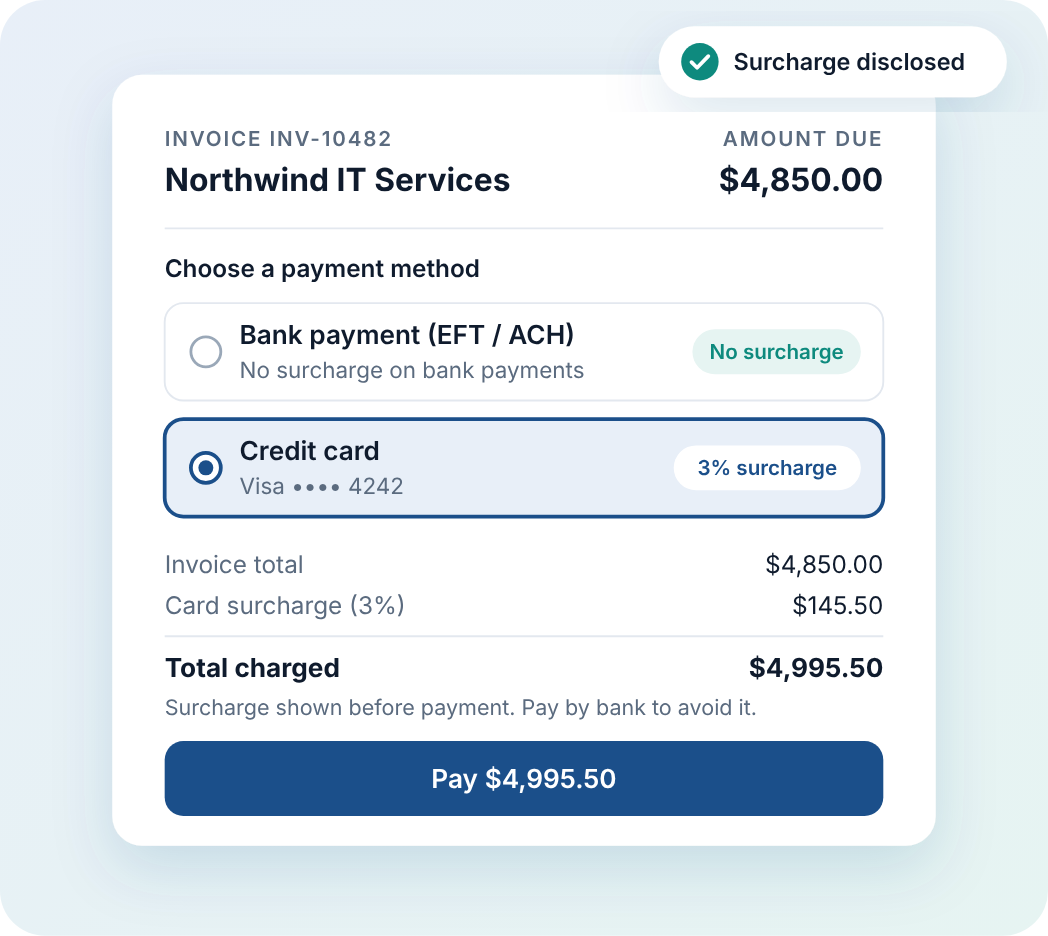
Benji Pays adds a disclosed surcharge to eligible credit card payments on your invoices, offers customers a bank payment with no surcharge when bank payments are enabled, and posts the surcharge alongside the payment in QuickBooks Online, QuickBooks Desktop, Xero, or Microsoft Dynamics 365 Business Central. Availability depends on your payment gateway and jurisdiction.
- QuickBooks Online
- QuickBooks Desktop
- Xero
- Microsoft Dynamics 365 Business Central
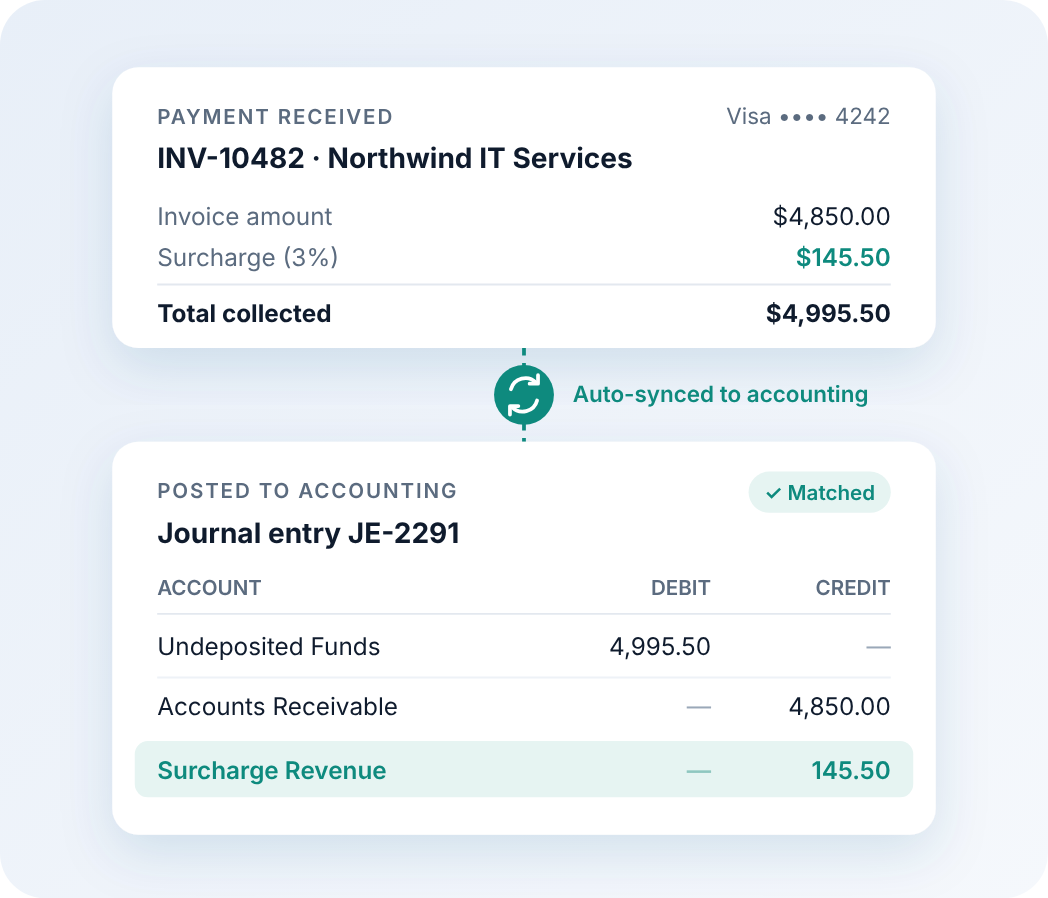
Automatic surcharge reconciliation
Benji Pays calculates or receives the surcharge during payment and keeps the payment and surcharge details connected to your invoice-to-cash workflow.
The surcharge is recorded according to your payment processor, surcharge configuration, and connected accounting system. Depending on the integration, it posts as a journal entry or a separate accounting transaction, or is reported within Benji Pays.
Less manual data entry, and invoice, payment, and surcharge records that agree.
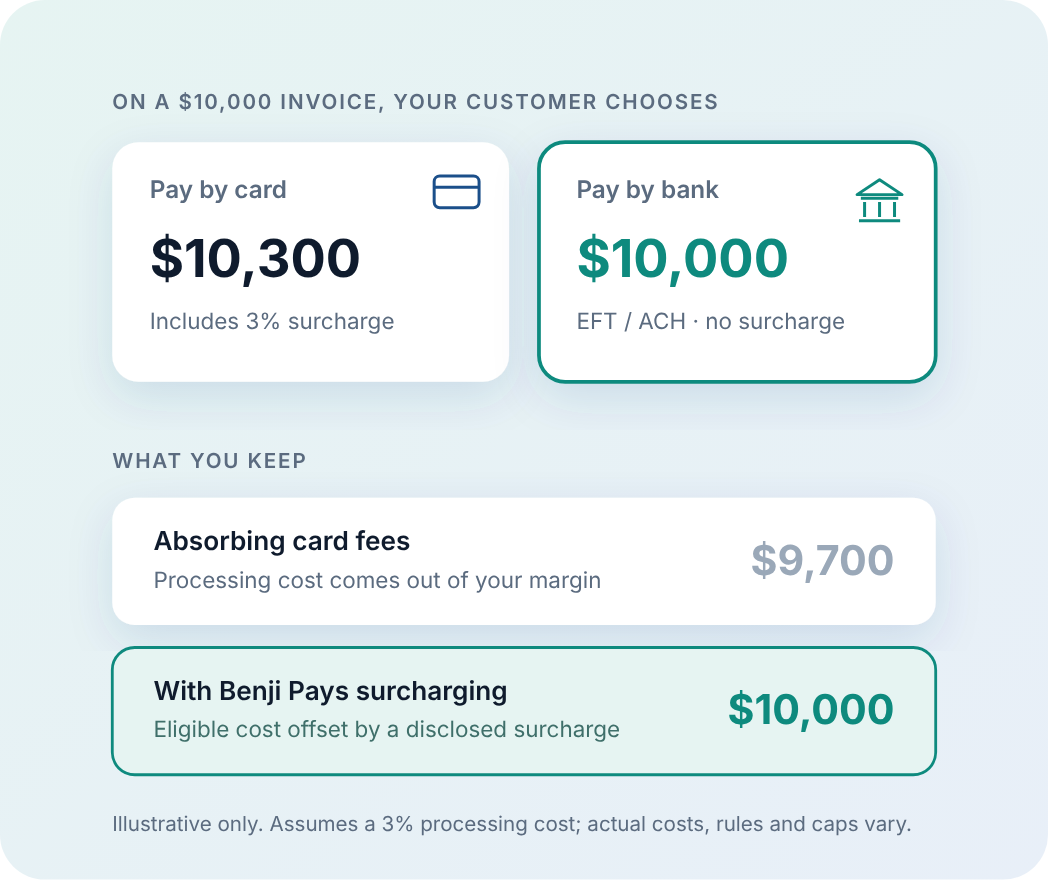
Protect your margin on every card payment
Card processing fees come out of the margin on every invoice, and high-value or recurring invoices feel them most.
Where surcharging is permitted, a disclosed surcharge passes the eligible card-processing cost to the customer who chooses to pay by card, so you keep more of the revenue you invoiced.
When bank payments are enabled, customers choose: pay by card with the surcharge, or pay by bank — ACH in the United States, EFT in Canada — with no surcharge.
The result: control over payment costs, a stronger margin, and more customers paying by bank.
Available through supported payment gateways. Availability depends on your gateway, merchant account, card type, and jurisdiction.
Set it once. Benji Pays handles the rest.
-
Configure your rules
Turn on surcharging and set the rate that applies to eligible card payments.
-
Customers choose how to pay
The surcharge is shown before payment. Customers pay by card or choose a bank payment with no surcharge.
-
Records stay aligned
Payment and surcharge details flow into your invoice-to-cash workflow and your accounting system.
Get paid — and keep more of it.
See how Benji Pays surcharging works with your payment gateway and accounting system.
Availability and surcharge treatment vary by payment gateway, card type, accounting integration, and jurisdiction. Merchants are responsible for complying with applicable laws and card-network rules.