
Bring your entire invoice-to-cash process together
Benji Pays connects invoicing, payments, collections, reconciliation, and reporting in one automated workflow.
By connecting the systems you already use and automating the work between them, you get paid faster, spend less time on administration, and see accounts receivable in one place.
- QuickBooks Online
- QuickBooks Desktop
- Xero
- Microsoft Dynamics 365 Business Central
Feature
Automate the invoice-to-cash lifecycle
The work does not end when an invoice is created. It still needs to reach the right customer, move through your collections process, get paid, and be reconciled across your systems.
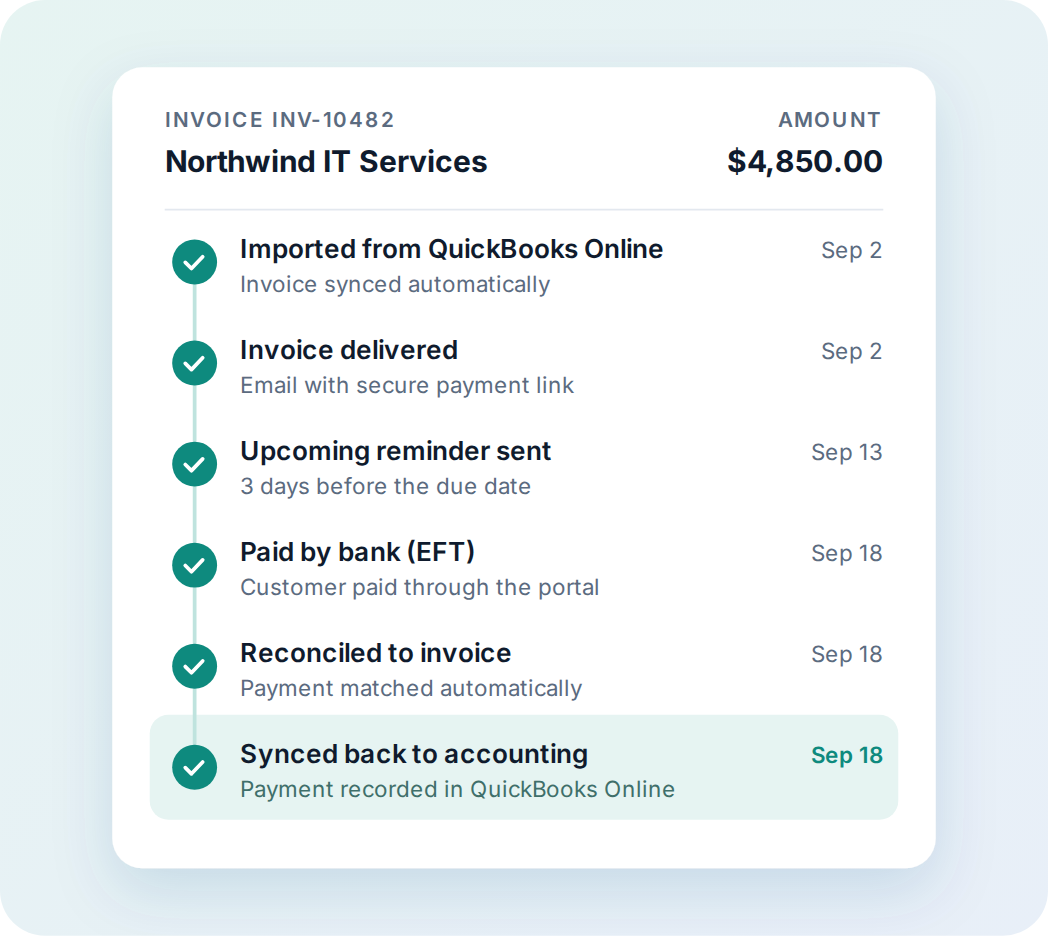
Benji Pays automates key stages of invoice-to-cash after invoices are created in your connected systems:
- Import invoices from your accounting or business systems
- Deliver invoices and payment notifications
- Accept credit card and bank payments
- Process scheduled and automatic payments
- Send reminders and escalate overdue balances
- Reconcile payments with invoices
- Sync payment activity back to connected systems
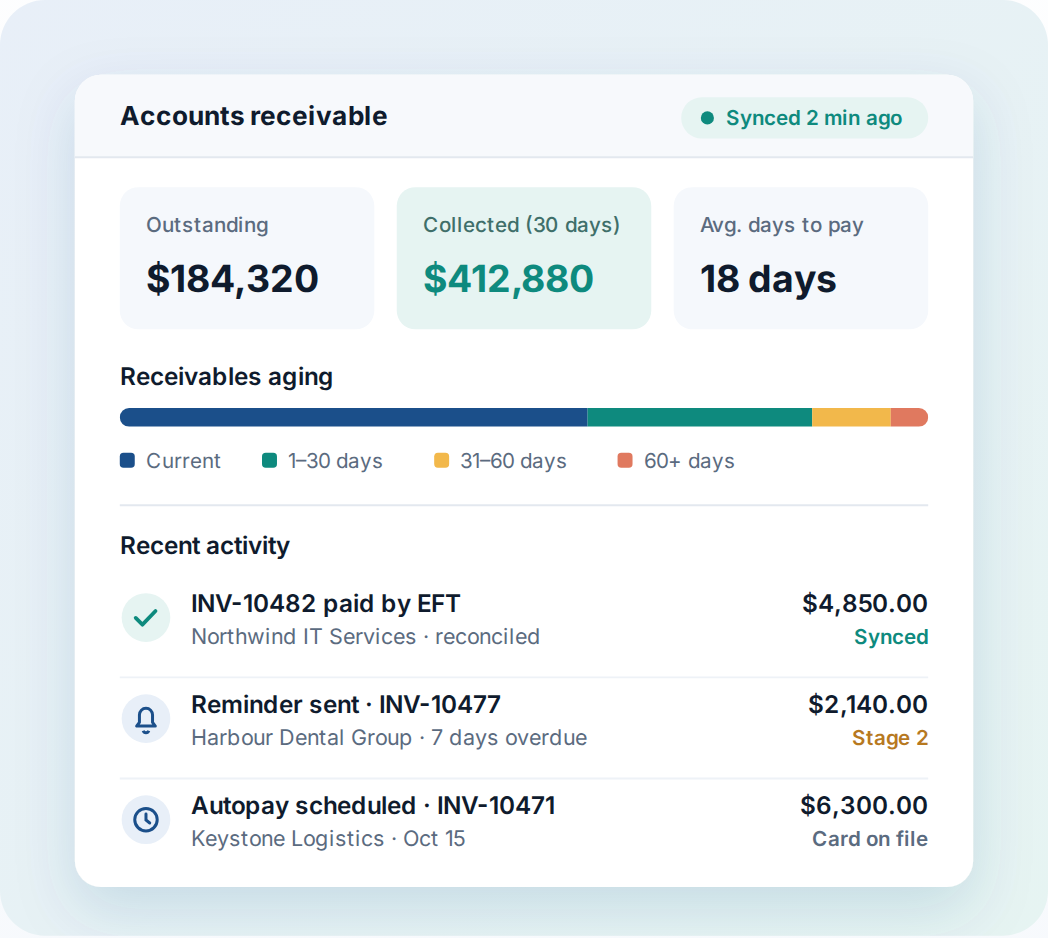
- Report on invoices, transactions, payment activity, and accounts-receivable performance
Instead of managing each step separately, your team gets one connected process from invoice synchronization through payment and the accounting update.
Feature
Connect the systems you already use
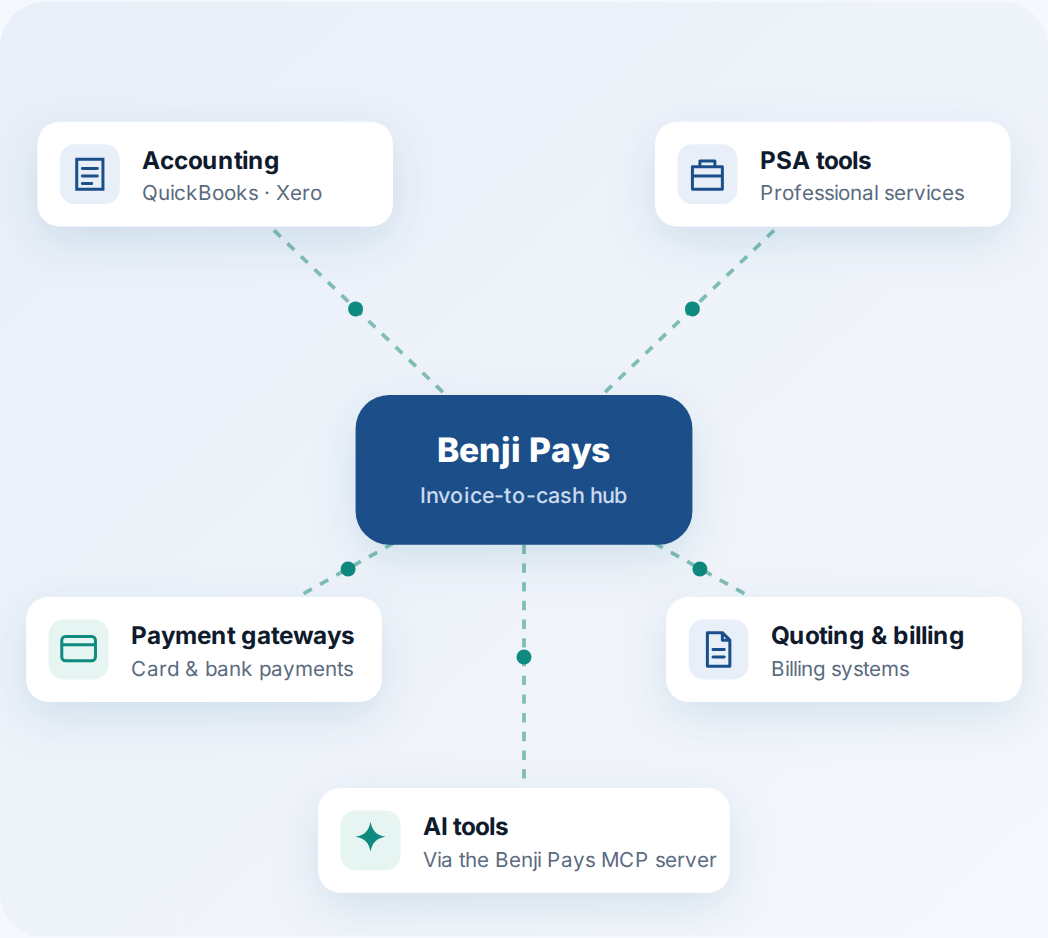
Move invoices, customer details, and payment activity between the tools you already use. Benji Pays turns a fragmented collection of invoices, reminders, payments, and accounting updates into one connected process.
Connect Benji Pays with systems such as:
- Accounting platforms
- Professional services automation tools
- Payment gateways
- Quoting and billing systems
- Compatible AI tools through the Benji Pays MCP server
Invoices, customer details, payment activity, and account status stay aligned across your workflow, so your team is not re-entering the same update in every system.
Feature
Configure workflows around your business
Benji Pays gives you the flexibility to build workflows around how your business operates. Secure payment links and a self-service customer portal let customers review invoices, pay outstanding balances, manage saved payment methods, and enrol in automatic payments.
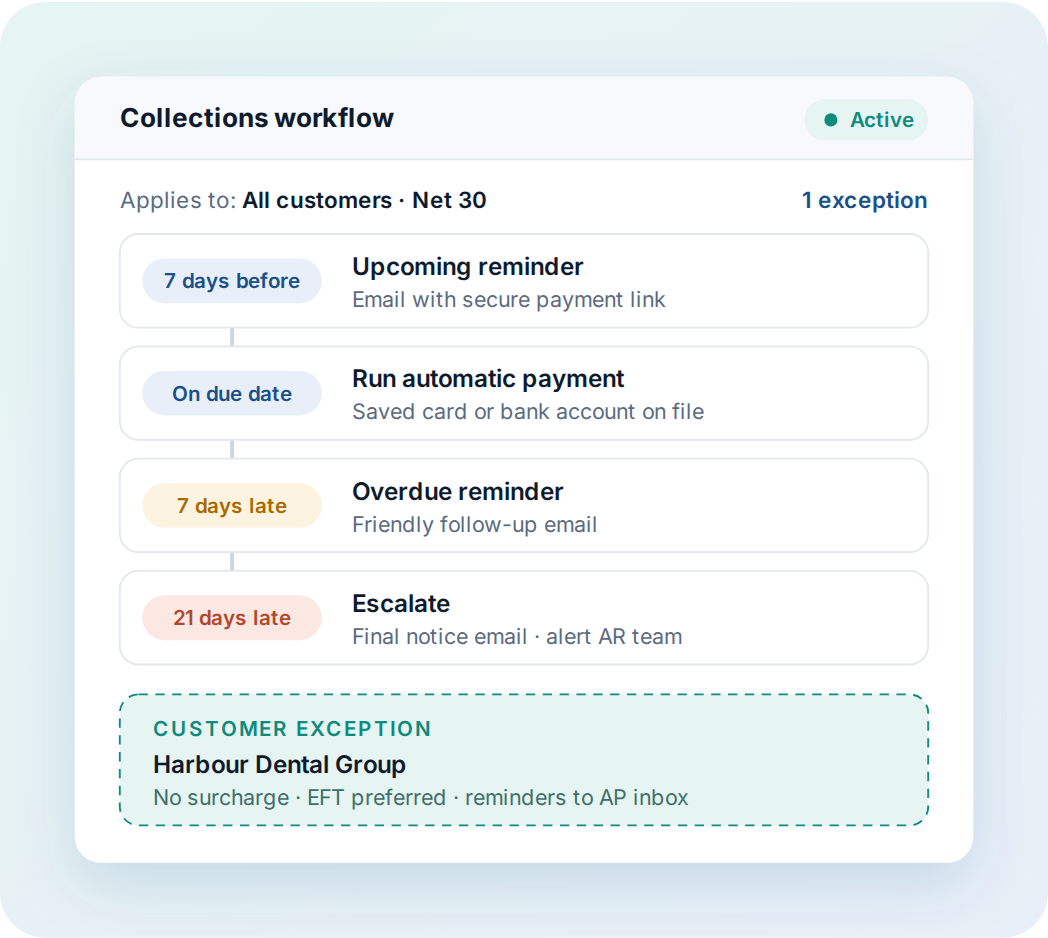
With Benji Pays, you create customized rules and workflows for:
- Invoice communications
- Upcoming and overdue reminders
- Automatic payment processing
- Preferred payment methods
- Customer-specific exceptions
- Credit card surcharging
- Payment-method update requests
- Staged collections communications
Apply a workflow to every customer, or tailor it to one customer. You automate at scale and keep control of the exceptions.
How it works
One connected process, from invoice to cash.
-
Connect your systems
Link your accounting platform and the other tools you already use, so invoices and customer details flow in automatically.
-
Set your workflows
Choose how invoices, reminders, payments, and exceptions are handled, broadly or customer by customer.
-
Get paid and stay in sync
Customers pay by card or bank, and payments are reconciled and synced back to your connected systems.
Getting paid should be the easiest part of doing business.
See how Benji Pays brings invoicing, payments, collections, reconciliation, and reporting together in one workflow.