
You sent the invoice on time. The due date came and went. Nobody paid, and nobody replied.
It feels personal. You start wondering if they saw it and chose to ignore you.
Hold on a second. A lot of the time, they never saw it at all.
The invoice went to the person who signed the agreement. Or to a generic inbox. Or to someone who left the company months ago. The person who bought the work is often not the person who pays. Until the invoice lands with the person who actually releases payment, another reminder won’t do much. You’re just chasing silence.
Get the billing contact at onboarding
The fix is simple, and it starts before the first invoice goes out.
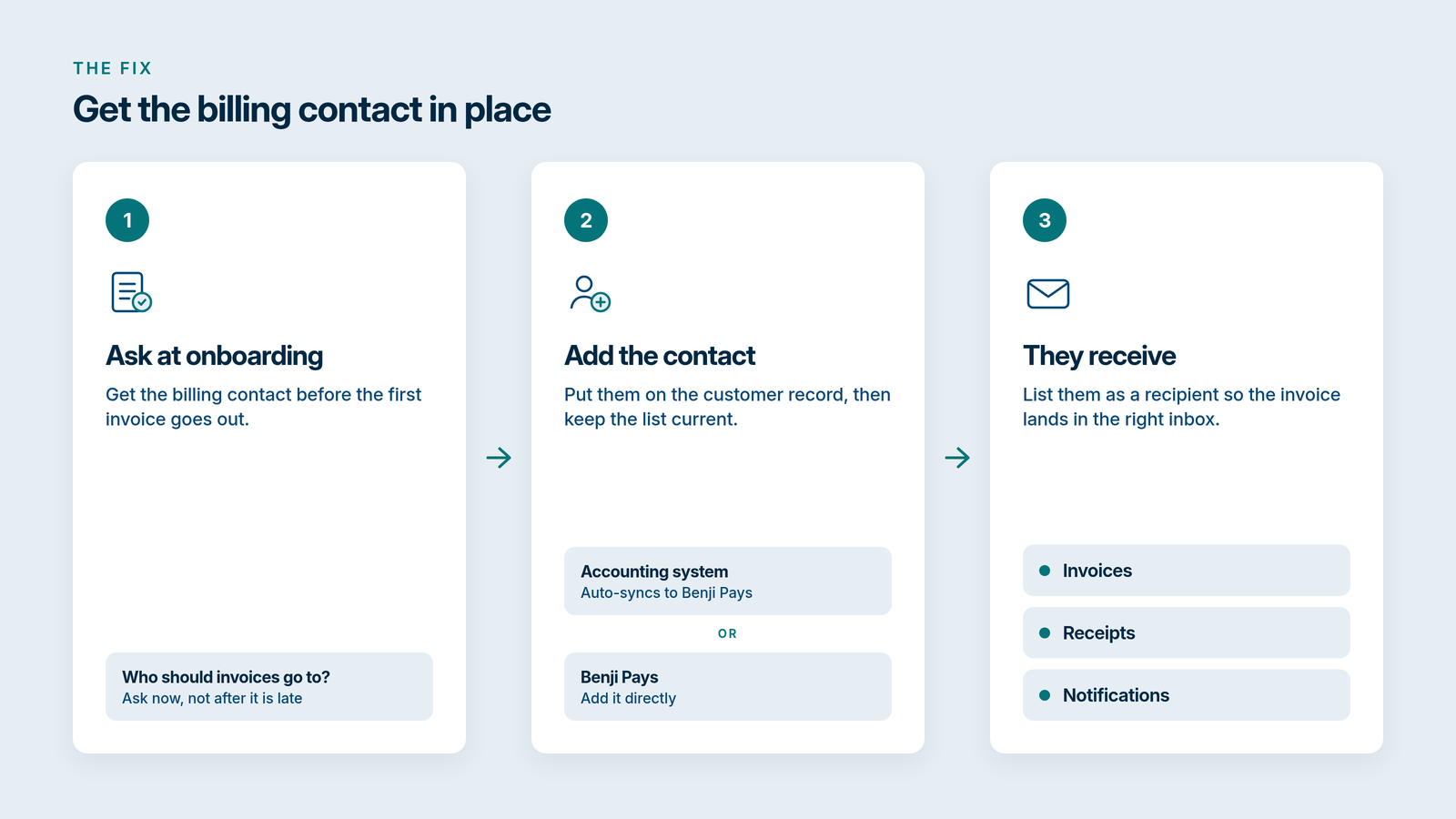
When you onboard a new client, ask who invoices should go to. Not later, when the invoice is already late. Write it down and put it on the customer record.
Add that billing contact in your accounting system, which auto-syncs to Benji Pays. Or add it in Benji Pays directly.
Then make sure that contact is listed as a recipient for invoices, receipts and notifications. If they aren’t on that list, the invoice can still go to the wrong inbox, and a reminder sent there won’t get you paid.
Check it again if a previously reliable customer goes quiet, or if an email bounces. A contact that was right a year ago may not be right now.
Then send the invoice, and the follow-up, to the right place
Once the right person is on the invoice, make it easy for them to pay. A payment link, or a self-service portal where they can see what they owe, beats forwarding a PDF around the office.
From there, follow-up doesn’t have to live in your head. Invoice Rover sends new invoices and upcoming or overdue reminders to the contacts you set, with a payment link in the email. Payments post back to your accounting system.
That’s the work we do at Benji Pays. We automate invoice follow-up, online payments and reconciliation for MSPs and invoice-based businesses.
If you want invoices to reach the person who can pay them, and the payment to post when it lands, take a look at Benji Pays. Book a demo or see pricing.
Getting paid starts with the invoice landing in the right inbox.
