Say Sally handles all the payments, and she does it manually. She sends the invoices. She follows up when they’re late. She processes the payments and she reconciles the books.
If you run a managed service provider (MSP), or any business that invoices other businesses, that setup is familiar.
What happens when she’s away the first week of the month? That’s often when invoices are going out and payments are coming in. How do you meet payroll?
You shouldn’t have to worry about your accounts receivable (AR) and your vacations overlapping.
Getting paid shouldn’t wait on one person
When one person does this work by hand, it waits when they’re out. The invoices still need to go out. Customers still need a reminder. Payments still need to be processed and posted. Payroll still lands on the same day, whether Sally is in or not.
Someone else can cover for her, if they know the process and they have the time. If they don’t, the work sits until she gets back. Then she’s catching up, and you’re waiting on money that should already be in.
It gets sharper when you’re on holidays and your customers are too. Approvers are out. A payment run gets skipped. That’s a bad week to have collections sitting on someone’s desk.
The fix is simple. Don’t leave getting paid in one person’s calendar. You don’t have to send anything early before she leaves. The billing can happen while she’s away.
The system does the work while she’s away
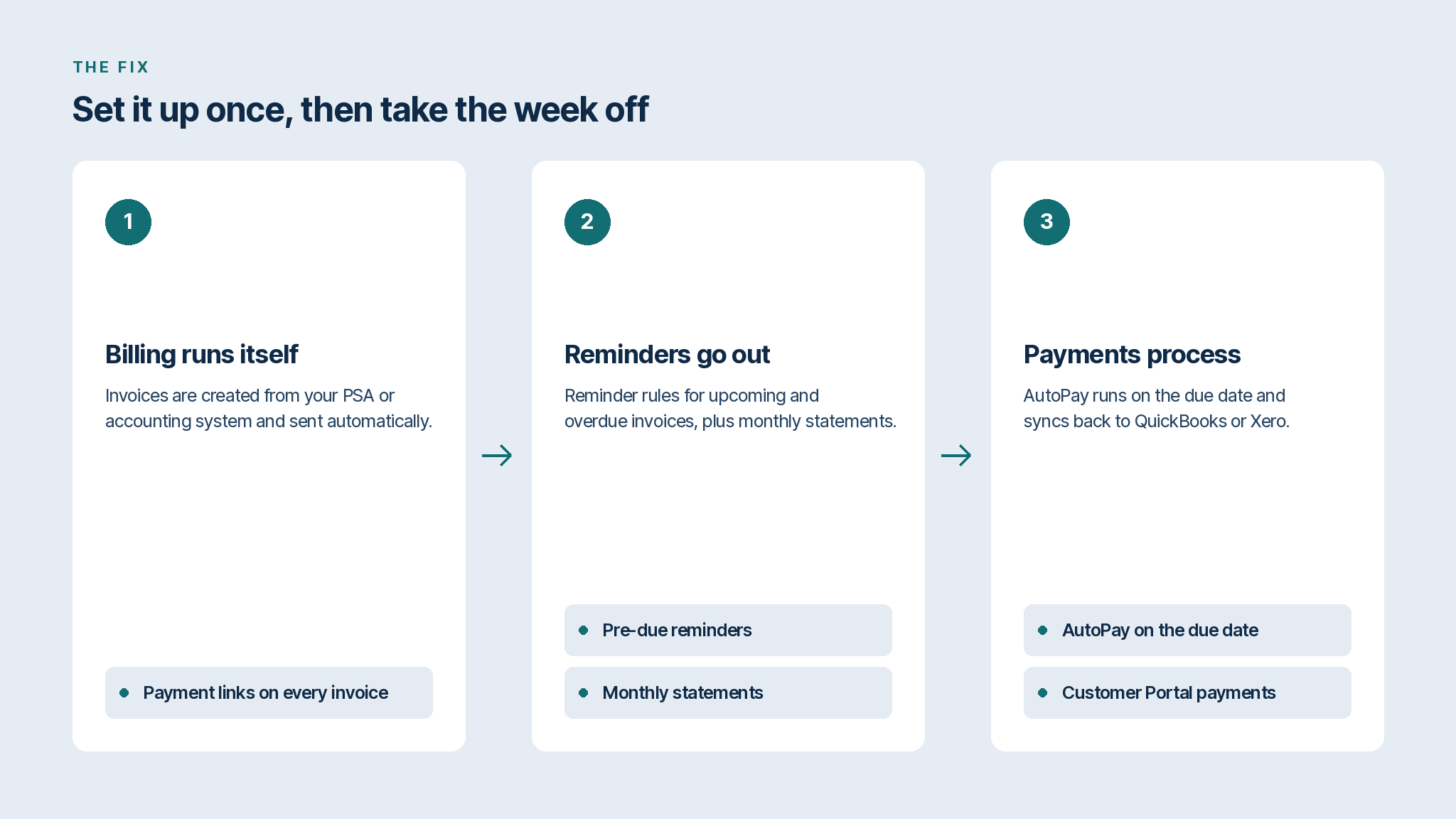
You set this up once. Then it runs while Sally is out.
Invoices are created in your PSA or accounting system and sent automatically, with a payment link. Invoice Rover sends new invoices with payment links when they’re created. You might bill from QuickBooks or Xero, or from a PSA like HaloPSA, Autotask or ConnectWise that syncs with those systems. Nobody has to be at a desk to send them, and you don’t have to send anything early.
Payments are processed automatically too. For customers on AutoPay, Benji Pays processes the payment when the due date is met and syncs it back to QuickBooks or Xero. Nobody on either side has to be at a desk. If a customer wants to pay themselves, the Customer Portal lets them see what they owe and schedule a payment. No account setup required.
Customers on AutoPay don’t care who is on vacation. The payment runs on the due date.
Reminders go out automatically as well. Set reminder rules for upcoming and overdue invoices. You choose the recipients, the frequency and the invoice types. Monthly account statements go out automatically, so accounts payable (AP) can see everything still open. Invoice Rover’s reminders adapt to auto-pay rules, so AutoPay customers aren’t nagged.
When the money lands, it posts back to your accounting system. Payments, deposits and refunds sync both ways. When Sally gets back, your AR is already current. Payroll doesn’t have to wait on a pile of unprocessed payments.
If too much of getting paid still depends on one person being at a desk, start by moving a few good customers onto AutoPay.
That’s the work we do at Benji Pays
We automate invoice follow-up, online payments and reconciliation for MSPs and invoice-based businesses.
If you want to get paid while you’re on holidays, take a look at Benji Pays. Book a demo or see pricing.
Never have to worry about your AR and your vacations overlapping.