
Accounts receivable automation software for small businesses
Accounts receivable (AR) automation software follows up on unpaid invoices, collects payment by card or bank payment, and records each payment in your accounting system. Benji Pays does this for small and midsize businesses that invoice other businesses. You keep creating invoices the way you already do.
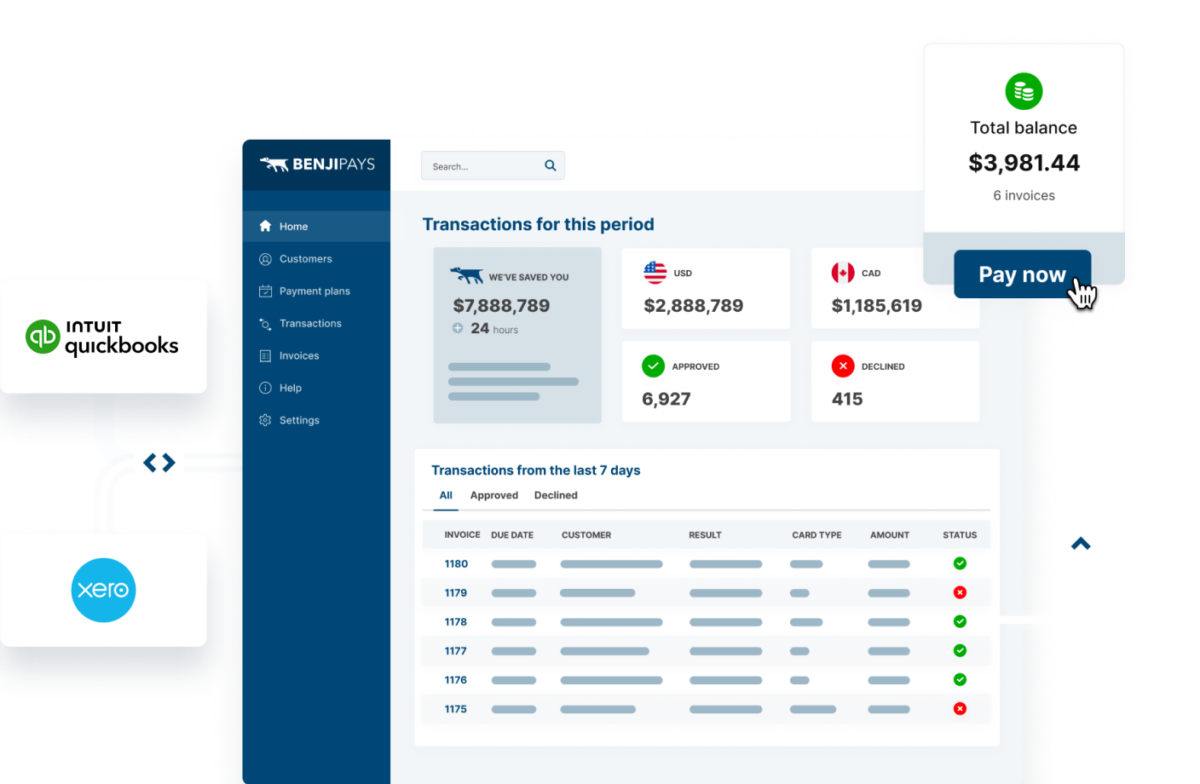
What it is
AR automation sits between the invoice you already create and the payment that lands in your books:
- Send the invoice with a way to pay online.
- Send reminders on unpaid invoices on a schedule you set.
- Take card and bank payments, including through a customer portal or autopay on a saved method.
- Apply each payment to its invoice in your accounting system.
How Benji Pays fits
Benji Pays automates invoice follow-up, online payments, and reconciliation. It is not a general ledger and not a billing platform. It is not just a connector. Your accounting system stays the source of truth. Benji Pays runs the work between invoice and cash: payment links, autopay, Invoice Rover reminders, the customer portal, and posting payments back to the books.
Use Benji Payments, our own integrated merchant gateway, to take card payments and flat-fee ACH or EFT, with processing and reconciliation in one workflow. Or keep a supported gateway and merchant account you already have. Same accounts receivable automation either way.
Accounting systems
Benji Pays works with QuickBooks Online and Xero on every plan, QuickBooks Desktop on the Advanced plan and up, and Microsoft Dynamics 365 Business Central on the Elite plan and up.
Who it is for
It fits best when you send many invoices, or large ones, and want follow-up and reconciliation to run on their own. That includes service businesses, construction and trades, franchises, professional services and accounting firms, and managed service providers (MSPs).
Questions
What is accounts receivable automation software?
It is software that follows up on unpaid invoices, collects payment by card or bank payment, and records each payment in your accounting system, without you entering the payment by hand. Benji Pays does this after you create the invoice in the system you already use.
Which Benji Pays plans include QuickBooks Online and Xero?
Every Benji Pays plan includes QuickBooks Online and Xero. QuickBooks Desktop starts on the Advanced plan and up. Microsoft Dynamics 365 Business Central starts on the Elite plan and up.
Who is Benji Pays for?
Benji Pays is for businesses that invoice other businesses. That includes managed service providers (MSPs), construction and trades, franchises, professional services firms, and rental companies, but those are just examples. It fits best when you send many invoices or large ones and want payment follow-up and reconciliation to run on their own.
Which accounting systems does Benji Pays work with?
Benji Pays works with QuickBooks Online, QuickBooks Desktop, Xero, and Microsoft Dynamics 365 Business Central. Your accounting system stays the source of truth.
Does Benji Pays replace our invoicing or accounting software?
No. Benji Pays is not a general ledger, and you keep invoicing the way you do today. Once an invoice is in your accounting system, Benji Pays collects the payment and posts it back to the books.
Does Benji Pays have its own payment processor?
Yes. Benji Payments is our own integrated merchant gateway. You can also bring a supported gateway you already have.
Do I have to switch processors to use Benji Pays?
No. Connect the merchant account you already have, or start with Benji Payments. Either way, invoices, payment links, and reconciliation stay in Benji Pays.